Making CrateBridge, a sampling plugin, with Codex and Claude
I work with samples. I wanted to take a song I hear on YouTube, pull out the part I like, and play it in Serato Studio. Separating instruments was possible with online services, but it meant uploads and waiting in a queue. In early October I typed what I wanted: "can we create something like mvsep but ourself. i dont wnt to deal with the que and etc", and "I am giving youtube videso and taking each instrument/vocal". I also wrote: "i want all channel work to sample."
I started CrateBridge on September 23, in Codex on my Windows PC. The first build was a VST3 instrument that imports a short YouTube section, shows its waveform, lets me trim it and drag the WAV into a Serato Sample Deck. Codex worked with a coder agent and a separate reviewer agent, built the plugin, ran the tests and installed it. Its validation notes said, step by step, what was checked and what wasn't, for example "Actual use of this updated build in Serato Studio remains unverified", until I tried it in Serato myself.
Fifty-three stems
Then came separation. The plugin got a cloud mode through MVSep, and in early October a local mode that runs the Mega 53 model on my own CPU, about six minutes for a three-minute clip, with nothing uploaded. The first real song showed one problem: the local drums were much quieter than the cloud ones, because 48 kHz audio was going into a model trained on 44.1 kHz, and every earlier test had used 44.1 kHz tones. Resampling the audio to 44.1 kHz before separation brought five of nine comparable stems closer in level to the cloud results, though the piano moved the other way.
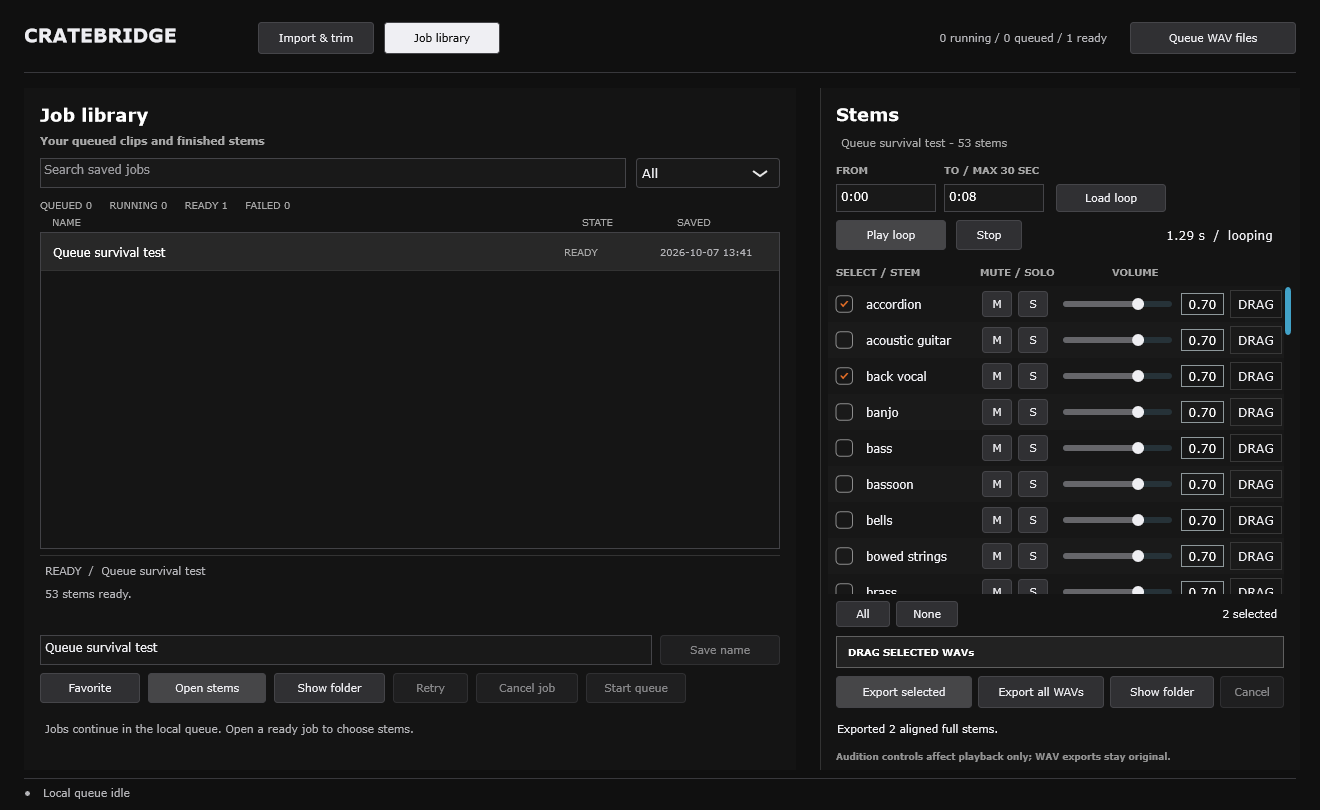
Fifty-three stems is a lot to look at. The first stem list gave each one a checkbox, mute, solo, a volume and a drag button.
Flip Lab
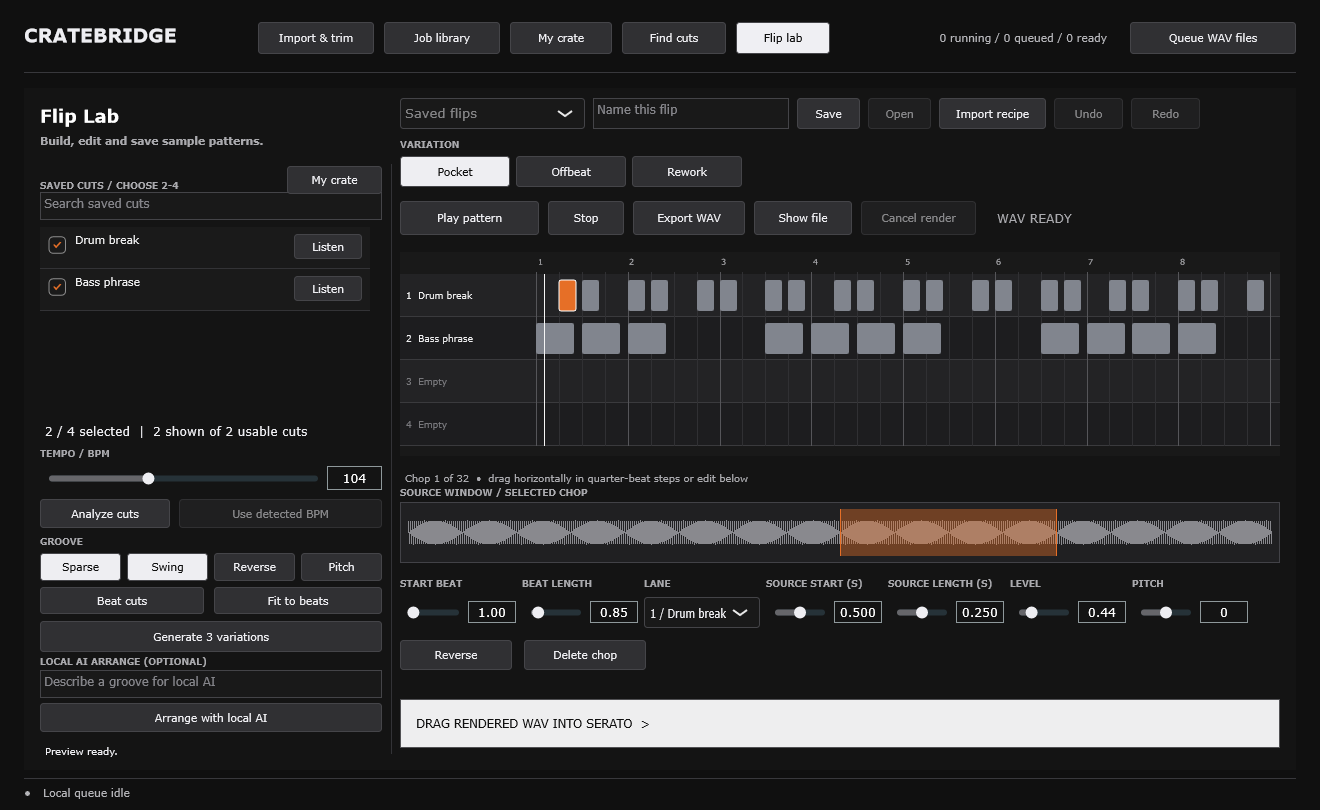
On October 7 Codex built Flip Lab. I pick two to four saved cuts, set a tempo and a few groove options, and it generates three variations of an eight-bar pattern on a grid. I can click any chop to change its timing, length, level, pitch or direction, then render a WAV and drag it into Serato. The first version used only "rhythm rules and equal source chops, not generative AI". Later that day it added beat detection, time stretching and an optional small local language model that picks from musical choices. The notes are clear that this model "does not listen to raw audio." In Serato it analysed a piano cut and a bass cut, generated patterns and rendered one, and I dragged the WAV into Serato's library to check the last step by hand.
Making it simpler with Claude
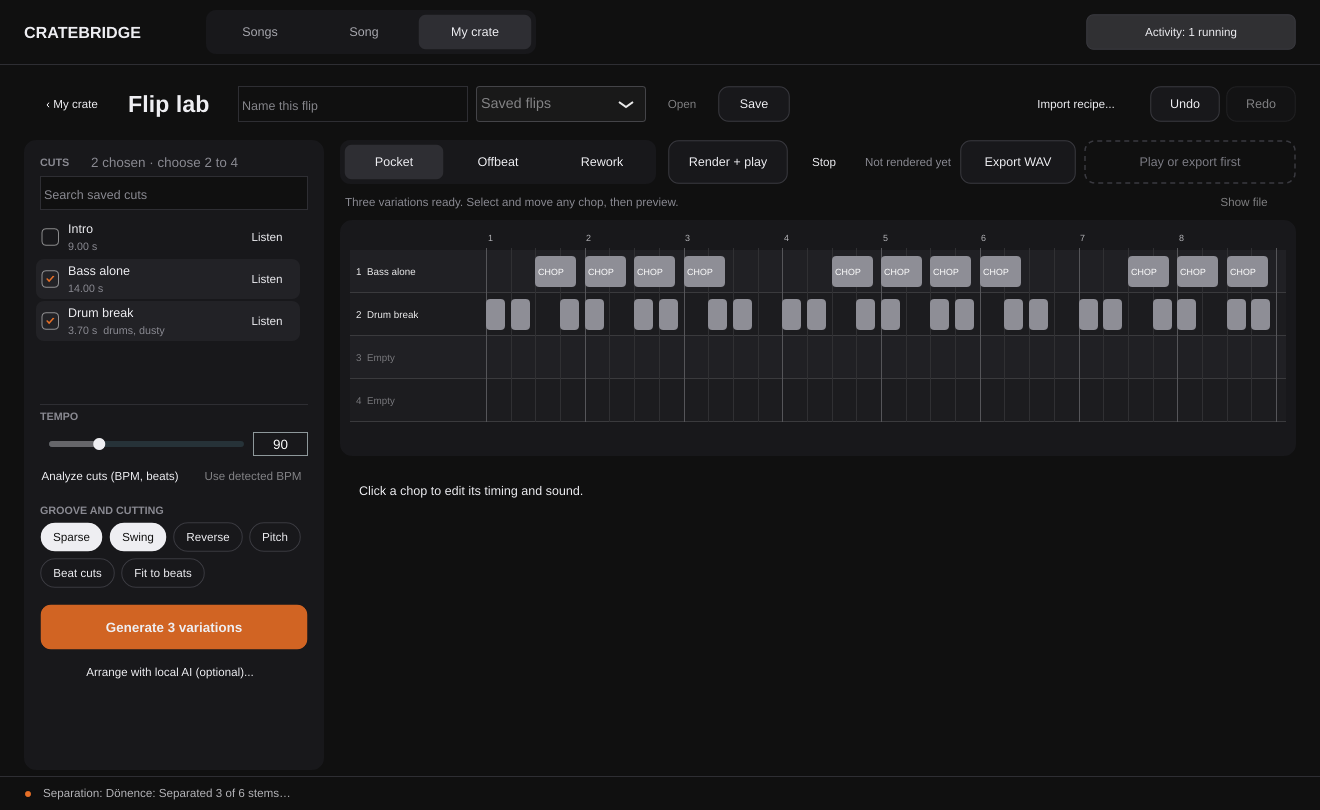
Every feature worked, but the screens kept growing. From October 11 I moved the interface work to a Claude Code session, with Codex reviewing the pull requests. Claude drew each change as design boards before building, starting from a critique. For Flip Lab it was "about forty controls at one weight, the one action that makes a flip (Generate) a grey button at the bottom of a column". The new layout puts making a flip on the left and playing and editing on the right, with one orange Generate button.
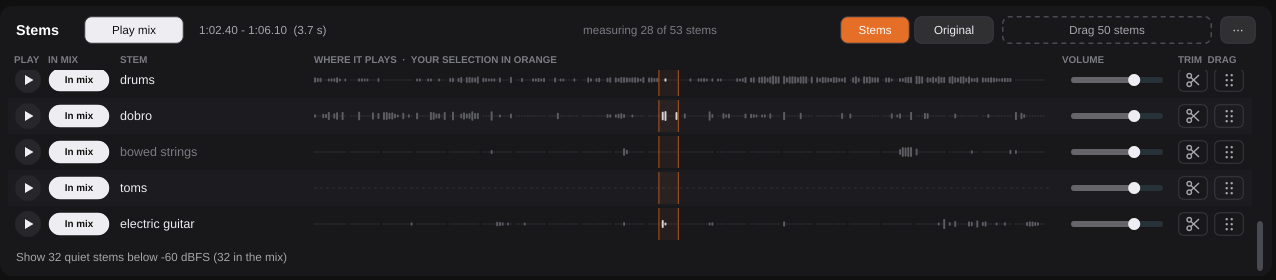
I kept telling it what felt wrong, in plain words: "i still wish i can easily play inividual instruments from stems or seew withc ones are empty, play multiple individuals togehter etc". Then "also like it but somethign is nt esay it seems confusing", and "also moving from plugin to serato is confusing". For the stem list I chose "go with what you hear is what you drag": the stems I am listening to are the ones I export. Now each stem row shows where that instrument plays across the song, and quiet stems fold out of the way.
Using it to make music
The agents were fast at adding features that worked and were tested. I kept using the plugin and telling the agents where I got confused. That helped me simplify it. One of the last things I asked, on October 13, was not about the plugin: "i dont know how to muix i can ply multiple channels together now but tioming wise being bale to put loops on a timeline is not a thing yet". Claude walked me through putting the WAVs on tracks in Ableton Live and looping them. CrateBridge gets the sounds out of a song. Arranging them is the next thing I am learning. More about the interface is on the project page.
Sources
- cratebridge,
README.md(what the plugin does, local Mega 53 speed) - cratebridge,
PRD-LOCAL-MEGA53.md("the ask, verbatim", Oct 5–6, 2026) - cratebridge,
VALIDATION.md(Sep 23 start, review roles, unverified-in-Serato notes, Flip lab experiment and complete tools, Oct 7, host checks) - cratebridge,
AGENT-WORKFLOW.md,AGENTS.md(coder and independent reviewer) - cratebridge,
UI-REDESIGN.md(Flip lab critique, stem listening, "what you hear is what you drag"), git history (Claude commits from Oct 11, 2026) - Claude Code session, Oct 6–13, 2026, cratebridge: my prompts, the Ableton walkthrough