CrateBridge
Experiment / In progress
I’m building CrateBridge, a Windows VST3 plugin for working with music samples. It lets me separate a song into instrument tracks, pick sections and save the parts I want to use in Serato Studio or Ableton Live.
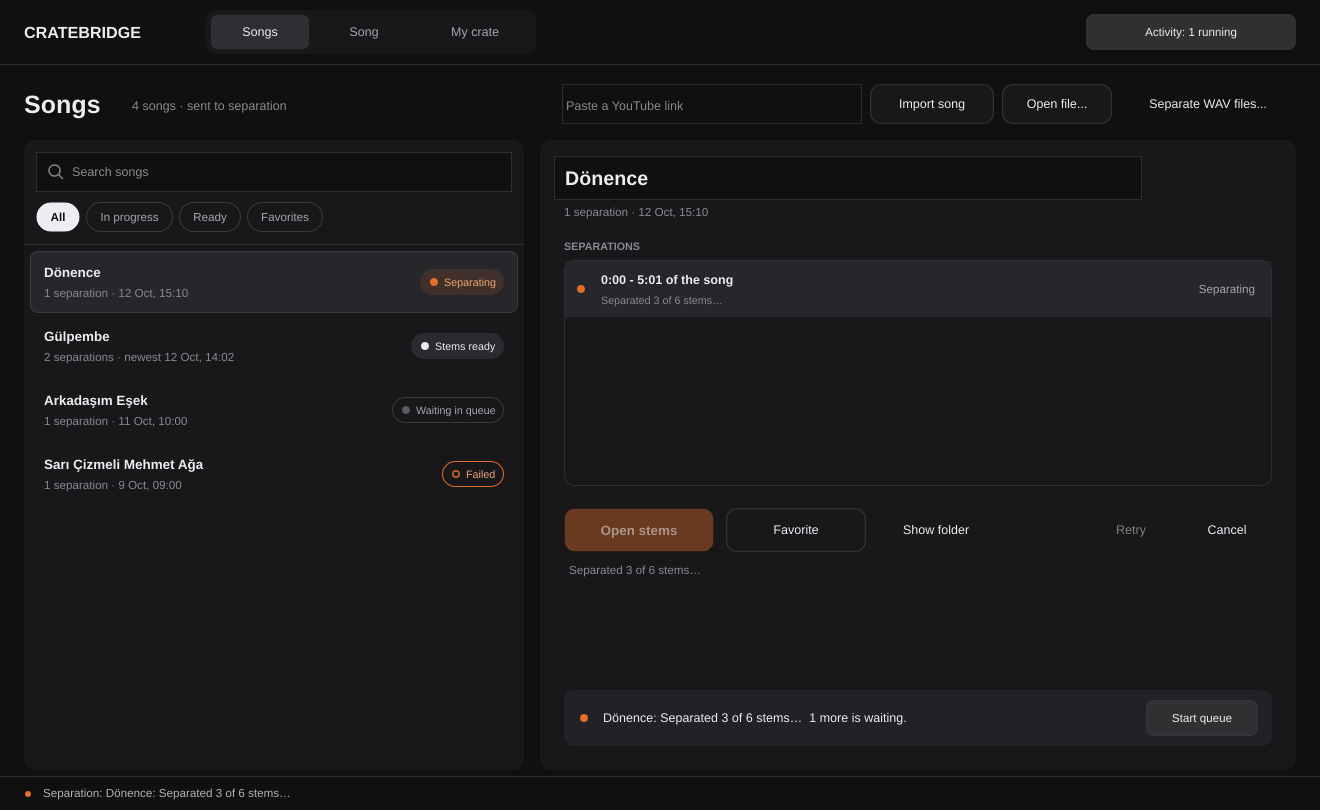
Screenshots from development builds. I’m still working on the interface.
Organizing the workflow
The first version had importing, trimming and separation on the same screen. As I added more features, it became confusing. The newer version separates the song library, editing and saved cuts into their own views.
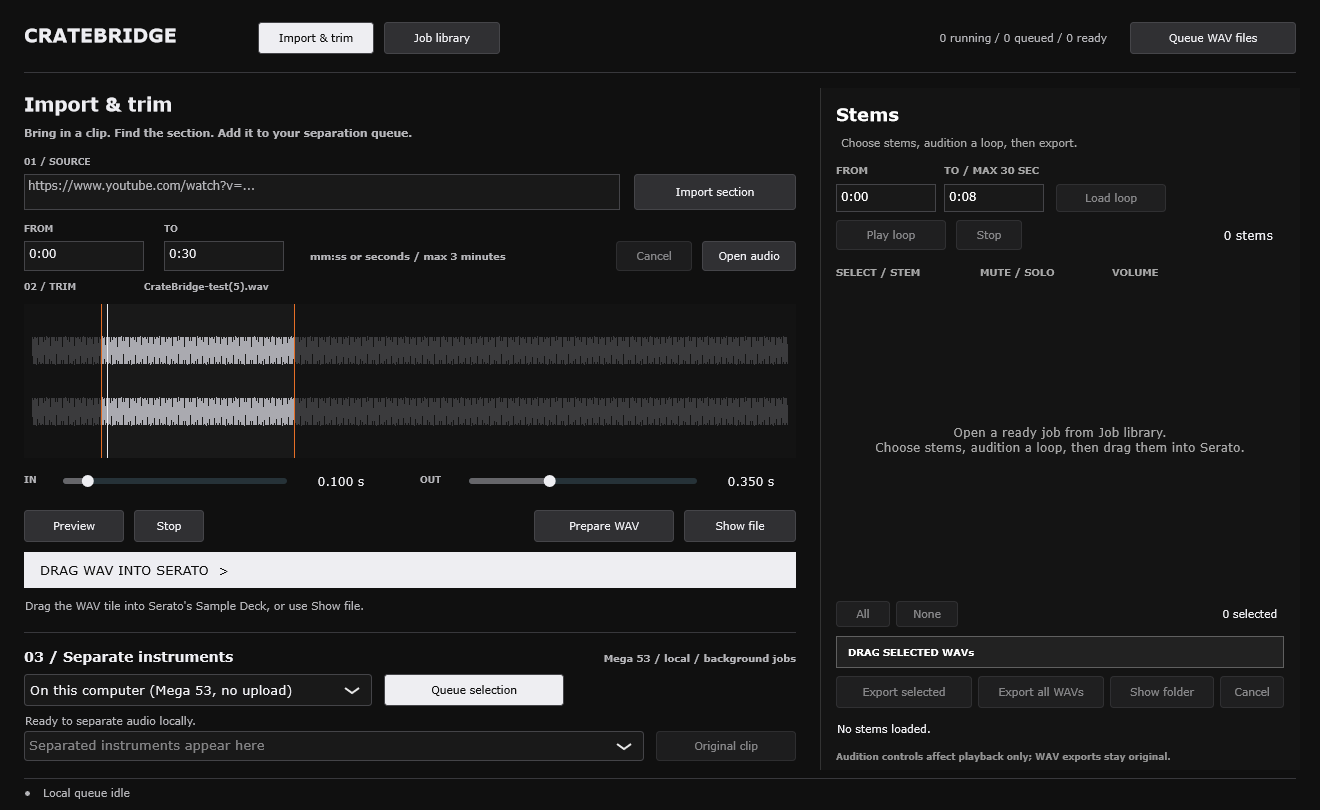
Choosing stems
The stem list originally had checkboxes, mute and solo buttons. It wasn’t clear which controls affected playback and which affected export. I wanted the stems I was listening to to be the ones I took into the DAW.
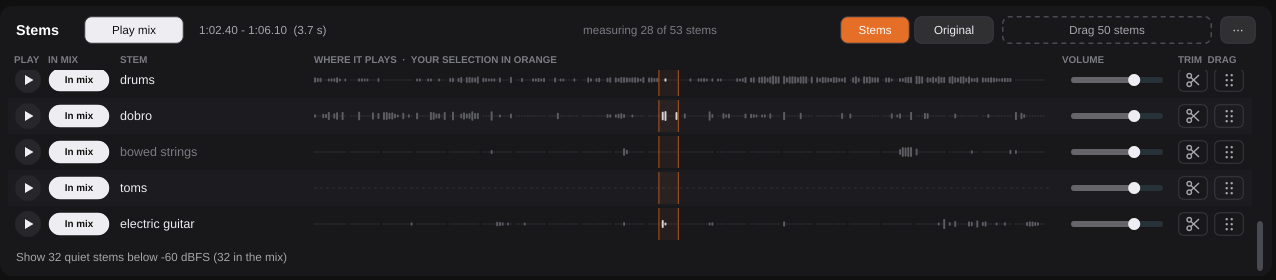
The newer version uses In mix / Out controls. I can also listen to one stem on its own without changing the mix.
Trimming a stem
Clicking a stem name used to replace the song in the waveform. It was easy to lose track of what I was editing. Now there’s a scissors button for trimming a stem, a message saying what’s open, and a button to return to the song.

Quiet stems
Some separation models return 53 stems. Many are very quiet, or only have sound in a small part of the song. I didn’t want to remove them automatically. The interface groups the quiet ones out of the way and lets me open them when I want to listen.
Flip Lab
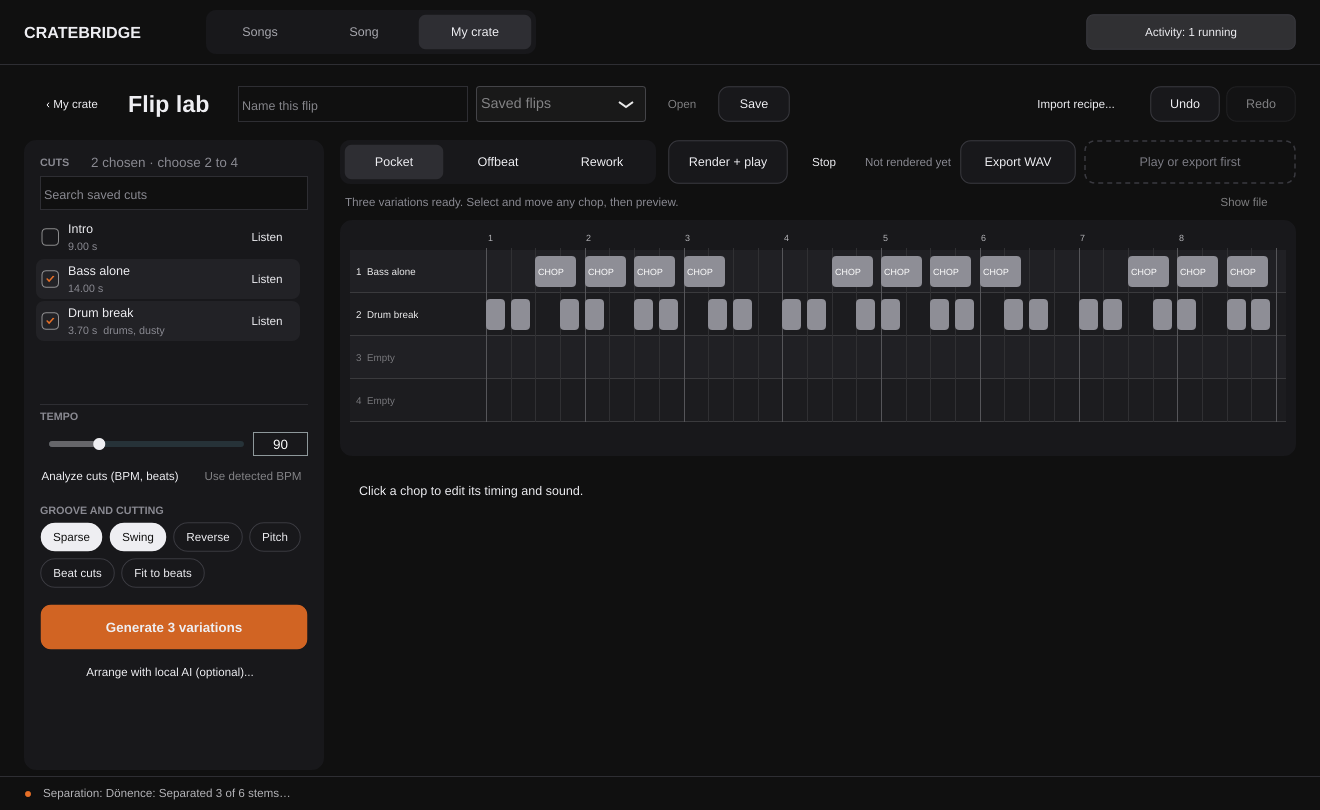
Flip Lab lets me try patterns using the cuts I’ve saved. I can generate variations, edit individual chops and export a WAV to keep working in the DAW.
Still working on it
I’m still refining the controls and how samples move from the plugin into Serato Studio and Ableton Live. Using it keeps showing me what needs to change.