Making a shared music room where DJs take turns
I wanted listening online to feel like being in the same room. The idea was that someone puts on a song, everyone hears it at the same moment, and you can see who likes it.
I built it with Replit Agent over a few days in September 2025. The notes the agent wrote at the start describe the idea in two references: "the music-focused UI of Spotify with the community room experience of Discord." The design notes spell out the rest. Now playing gets the most visual weight, then the queue and the DJ controls, then the people.
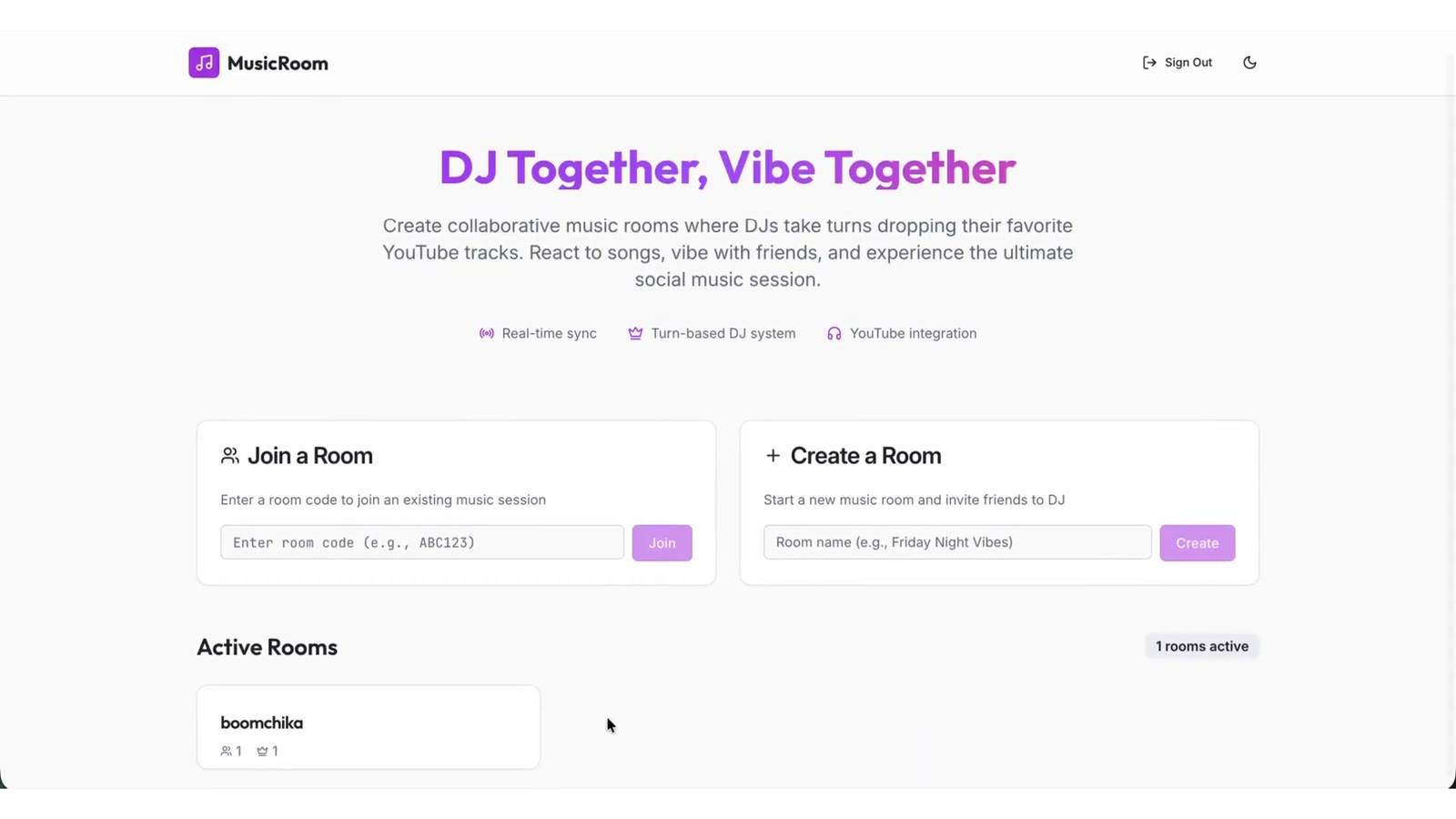
The room works like this. You create a room and get a six-character code. There are two DJ slots, and the two DJs take turns choosing songs from YouTube, so the music goes back and forth between two people instead of one person's playlist. Everyone else is a listener and can react to the song that is playing.
I steered mostly with screenshots of the room. Nine that I attached for the agent between the night of September 12 and the night of September 13 are still in the app's files.
I wanted a reaction to be more than a counter. The person who reacted should keep moving on screen, the way you would see it across a real room. On September 13 the notes record that the avatars were "restored" to "shake/vibrate instead of just pulsing", and that anyone who reacts keeps that vibration "until the song ends". Now you can look at the room and see who is into it.
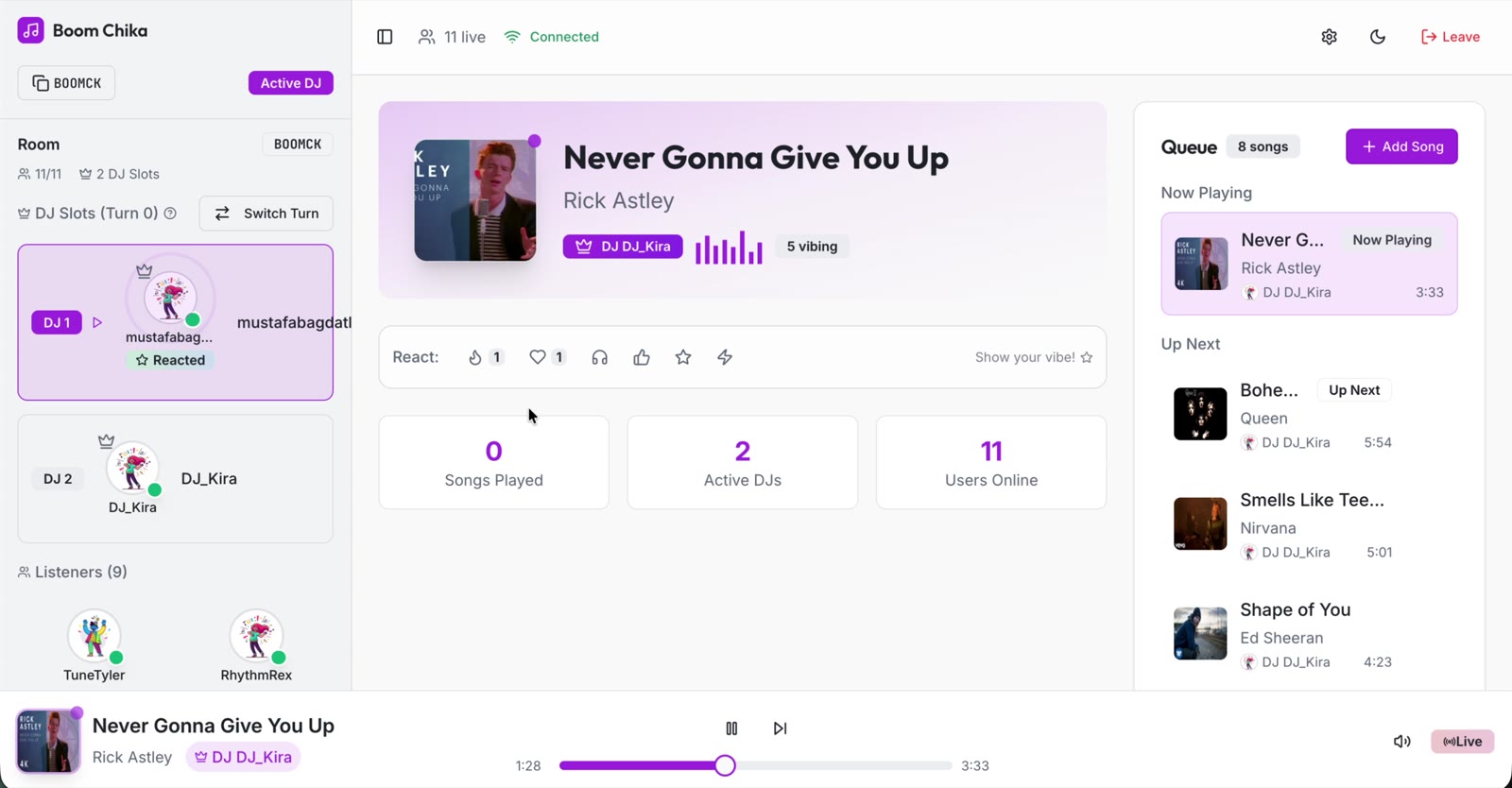
The same day was about timing. Songs were ending early and the queue jumped ahead, so a song now has to be near its real end before the next one starts. Listeners were drifting from the DJ, so the sync tolerance went down to one second. Browsers were blocking autoplay for the next song, so the DJ's player now starts it itself.
On September 14 I made a product decision. Until then the room only moved on when the DJ's browser said the song had ended. So if the DJ left, the room went quiet. The end of a song moved to a timer on the server, so the room keeps going without the DJ. The notes say it "ensures songs continue playing even when all browsers are closed." The first song added to an empty room also starts on its own now, so nobody has to press play to begin.
Now the room keeps playing when the DJ leaves.
The small details helped it feel like a shared room: an avatar that moves when someone reacts, and music that doesn't stop when one person closes a tab. I would use it to teach a studio on shared experiences online, where students design a way for people in different places to feel they are in the same room and test it with friends. More about the finished piece is on the project page.
Sources
- Replit app JukeBoxSocial,
replit.md(overview, "Recent Updates" for September 13 and 14, 2025) - Replit app JukeBoxSocial,
design_guidelines.md(Spotify/Discord reference, visual hierarchy) - Replit app JukeBoxSocial,
attached_assets/(ten screenshots dated September 12 to 13, 2025) - An earlier copy of the app on Replit,
server/routes.tsandclient/src/components/PlayerBar.tsx(advance only on the DJ's ended event) - Replit app JukeBoxSocial,
server/song-timer.ts,server/routes.ts,client/src/components/RoomDashboard.tsx(server timer, DJ position updates every second) - Portfolio, content/projects.json, jukebox-social (images, video, room rules, "Reactions as presence", the teaching idea)